Brad Hobbs Dacula, GA

Websites & practical AI for small businesses

Make it easy for customers to reach you. Take the busywork off your plate.

I’m Brad Hobbs, a developer near Dacula, Georgia, and I’ve been building software for 15 years. I fix the parts of small-business websites that get in a customer’s way, and I set up small AI workflows for tasks your team repeats every week. Every project has a written scope and a handoff you can use.
Book a 15-minute call →
(912) 663-9223brad@bradhobbs.devReplies within one business day.
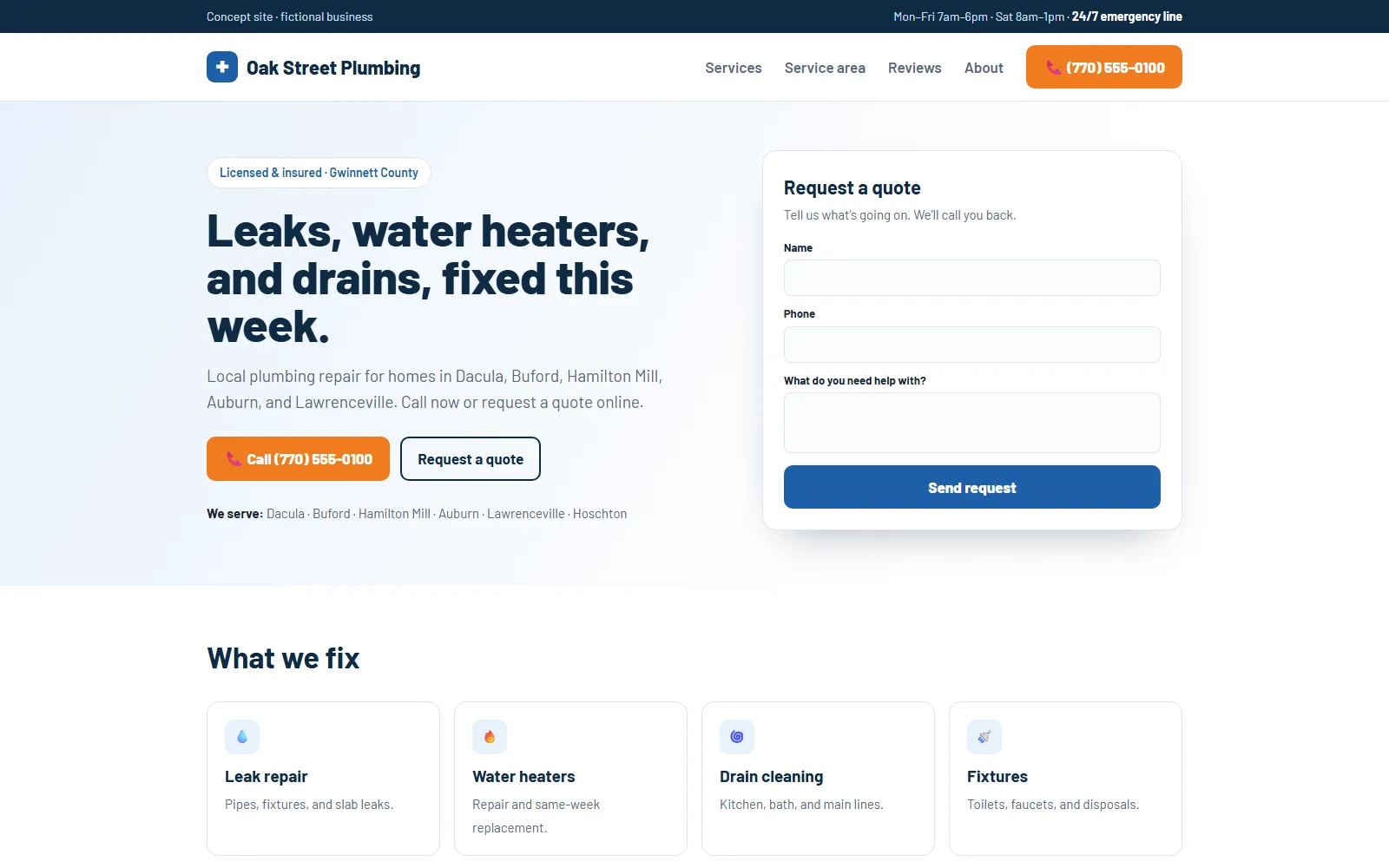
oakstreetplumbing.example
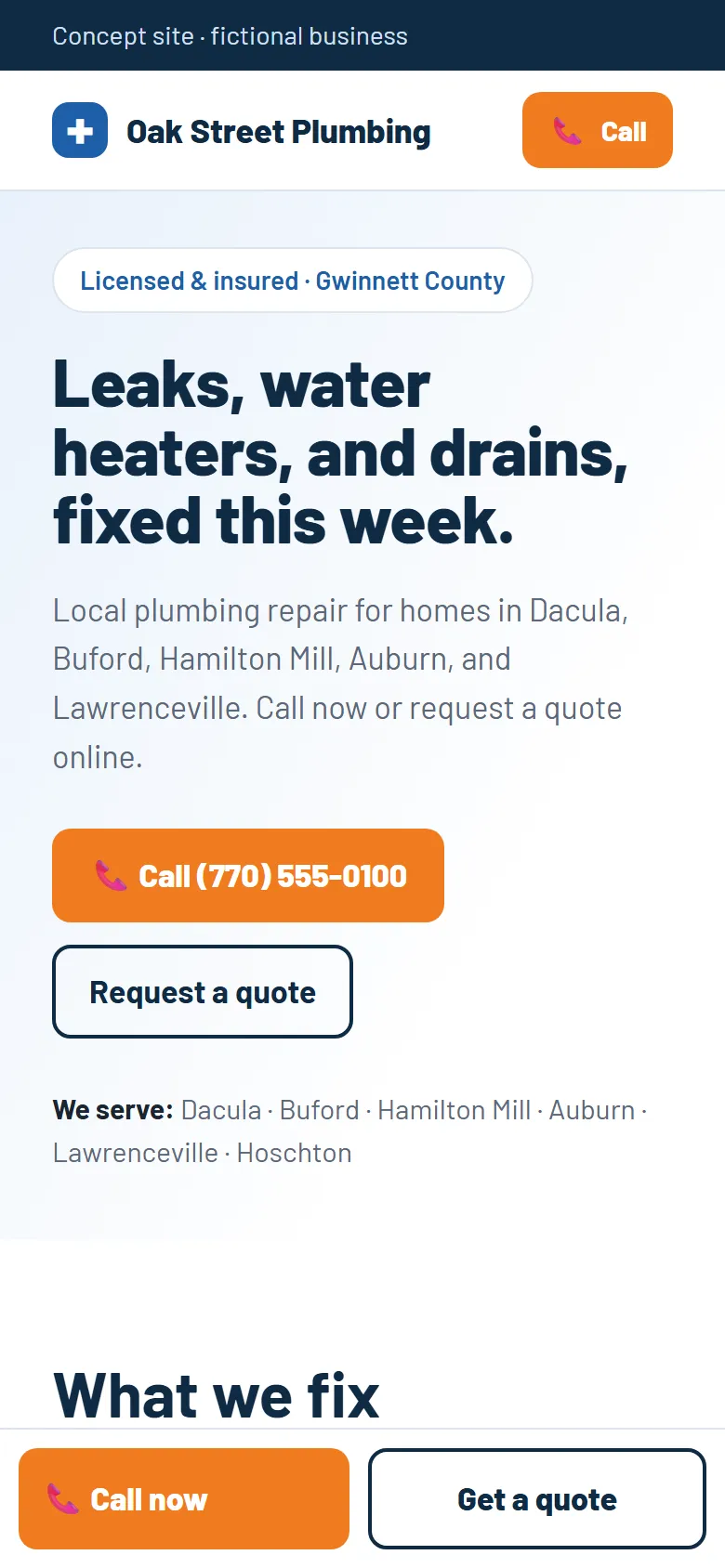
Concept homepage for a fictional plumber with a call button, towns served, and a quote form
The same concept on a phone, with a sticky Call now button
Concept · fictional business

Oak Street Plumbing concept

A website-refresh concept for a fictional local plumber, with tap-to-call, the service area on the first screen, and a short quote form.

See the before & after
1 / 6
Serving
  • Dacula
  • Hamilton Mill
  • Auburn
  • Buford
  • Braselton
  • Hoschton
  • Lawrenceville
  • Snellville
  • Gwinnett, Barrow & Jackson counties
AI workflow projects can be fully remote

Who I help

Local businesses where a clearer site or one less chore actually matters.

I work with owners who can point to a real problem, like calls that never come in, questions staff answer ten times a week, or a site nobody can update. If a fresh coat of paint won’t fix it, I’ll tell you.

i.

Home & local services

Plumbers, HVAC, landscapers, cleaners. People search on a phone and want to know if you serve their area and how to reach you.

“Do you come out to Auburn?”

ii.

Appointment businesses

Salons, clinics, studios, tutors. Customers need current hours, services, and a booking path that works.

“Are you open Saturday?”

iii.

Small professional firms

Accountants, attorneys, consultants. Visitors should be able to tell in seconds whom you serve and how to start.

“Is this firm right for me?”

What a refresh looks like

Same business. Fewer steps to call.

This is a concept built for a fictional plumber to show my approach. I start with what a customer is trying to do on a phone, then remove whatever gets in the way.

BeforeA typical older site: a generic welcome, no service area, and a phone number you can’t tap.
oakstreetplumbing.example
Redesigned concept homepage with a call button, towns served, and a quote form
Redesigned concept on a phone with a sticky call bar
After ConceptServices, towns served, and a one-tap call button are all on the first screen. View the concept site
  1. Say what you doA headline that names the services, not “Welcome.”was: “Welcome to our website!”
  2. Show where you workTowns served on the first screen, so nobody has to guess.was: “our community”
  3. Make calling one tapA call button up top and a sticky call bar on phones.was: a plain-text number in the footer

Services

Three small, clearly scoped ways to start.

Each one ends with something working and a written guide. We agree on what’s included, and what isn’t, before any work begins.

Website

Website refresh

A focused rebuild of the pages that matter, designed for phones first, so visitors understand what you do and can get in touch.

  • Up to five core pages
  • Mobile layout and clear contact path
  • Basic search setup (titles, descriptions)
  • Two rounds of feedback
  • Launch and a short update guide

Not included: online stores, copywriting, photography, paid ads, hosting fees. Quoted separately if needed.

Details: website refresh →
AI · Start here

Workflow review

One conversation about a task your team repeats. You get a clear picture of how it works today and what’s worth changing.

  • 60–90 minute interview
  • Simple map of the current workflow
  • Prioritized recommendations
  • One-page action plan
  • No tool purchase required

Good fit: inquiry replies, internal note summaries, organizing non-sensitive leads, routine first drafts.

Details: workflow review →
AI

One-workflow pilot

We choose one task, set it up in tools you approve, and test it on realistic examples before your team relies on it.

  • Setup in client-approved tools
  • Test cases, including the awkward ones
  • A person reviews anything customers see
  • Staff walkthrough
  • Written instructions

Measured, not promised: we record a baseline first and report what actually changed.

Details: one-workflow pilot →

Every project is fixed-scope and quoted in writing before any work starts. Start with a 15-minute call →

What an AI pilot looks like

AI does the first draft. You make the call.

Most small-business AI wins are ordinary tasks: replying to common questions, summarizing notes, sorting leads. I set up one of those at a time, in tools you approve, and nothing reaches a customer without a person checking it.

  • Uses your information. Drafts come from your service list, hours, and FAQ.
  • Stays in your hands. Approve, edit, or discard every draft.
  • Tested before launch. At least five realistic examples, including a bad one.
  • Measured honestly. We compare against how long it takes today.

AI assistant demo

See how a site assistant works, and how I’d protect it.

The chat button in the corner is a demo of the kind of assistant I build for business websites. It answers from the site’s own content and shows its sources. Here the answers are pre-written, so there are no AI costs and nothing to abuse. On your site, I’d connect it to a real AI model with the protections below.

Try it

Pick a question to open the assistant, or use the chat button at the bottom right.

Protections in a live version

A public chatbot needs limits, or bots and bored visitors will run up your bill. This is what I set up:

Bot check
Cloudflare Turnstile, verified on the server
Rate limits
Per visitor and per IP, e.g. 10 questions a day
Burst throttling
API Gateway request limits
Input limit
500 characters per question
Spending cap
Pauses the assistant at a monthly limit
Topic rules
Declines off-topic and “ignore your instructions” requests
Customer data
Not stored. Usage is logged without personal details.

This demo runs entirely in your browser. There’s no AI model behind it, and nothing you type is sent or saved.

How a live version answers a question

  1. Bot checkAn invisible Turnstile challenge, verified on the server.
  2. Rate limitPer-visitor and per-IP limits in DynamoDB, plus API Gateway burst throttling.
  3. Budget + input checksLength limits and a monthly spending cap that pauses the assistant.
  4. RetrieveFinds the closest sections of the site’s content using embeddings.
  5. AnswerClaude writes a short answer using only those sections, with citations.
  6. Check + logDeclines off-topic or “ignore your instructions” requests, and logs usage without personal data.

Steps marked with a diamond are = protection layer. It runs on AWS: API Gateway, Lambda, and DynamoDB.

Want one for your business? The same setup can answer questions from your service pages, policies, or internal docs, with the same limits and cost controls. It usually starts with a workflow review.

Talk about a site assistant →

How it works

No surprises. Everything written down.

You’ll always know what you’re getting, when, and how we’ll tell whether it worked.

  1. Talk

    A 15-minute call about what customers should do on your site, or which task eats your team’s time.

  2. Scope

    A written proposal: deliverables, exclusions, timeline, cost, and how we’ll measure success.

  3. Build & review

    I build in accounts you own and show you an early version before anything is final.

  4. Hand off

    Links, forms, and test cases are checked, then it launches with a short guide.

Work

Things I’ve built

Personal projects and portfolio samples, each labeled for what it is. None of it is presented as paid client work. Client case studies will be added with permission.
Sample · fictional data
community-resource-directory
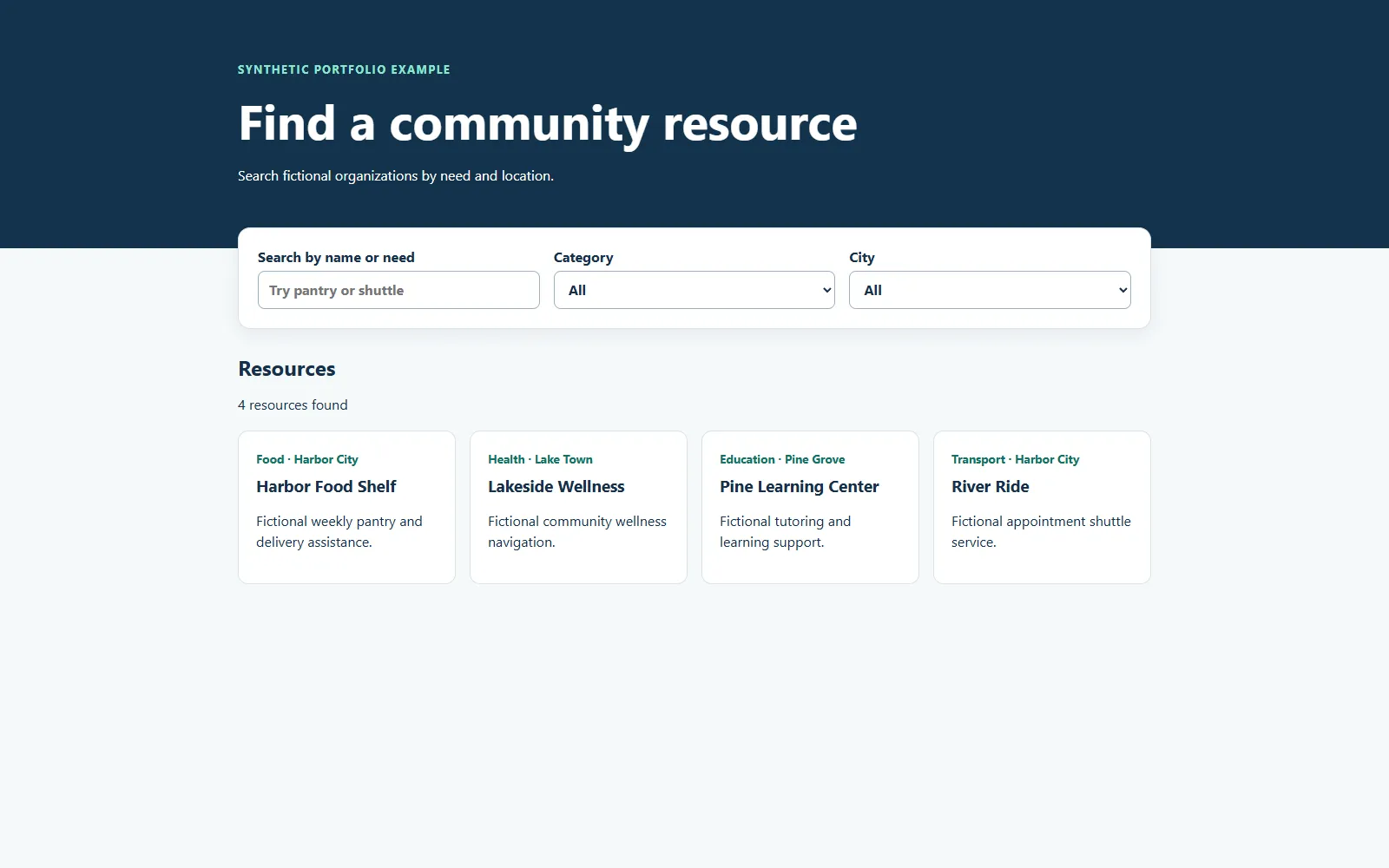
Resource directory with a search box, category and city filters, and four result cards
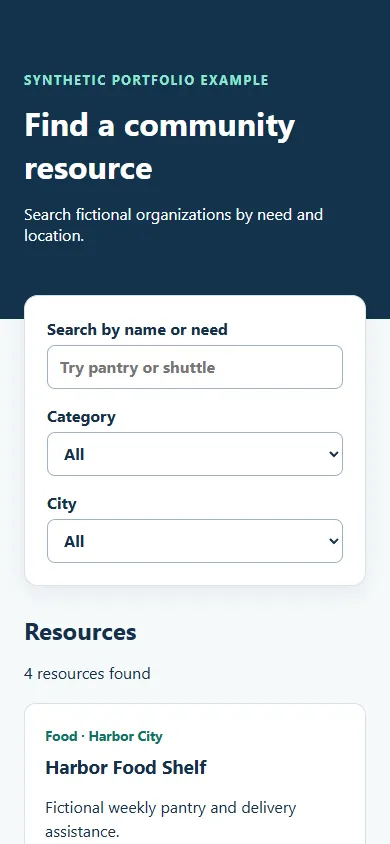
The directory on a phone with stacked filters

Web · Accessibility

Community resource directory

Problem
People looking for local help need to filter quickly by need and city, and see right away how many options match.
Approach
Keep the public side small and clear, with one search box, two filters, a visible result count, and proper labels and focus states.
What I built
A React and TypeScript directory with automated tests. The records are fictional, and it hasn’t had a formal accessibility audit.
  • React
  • TypeScript
  • Vite
  • Tests
Sample · fictional data
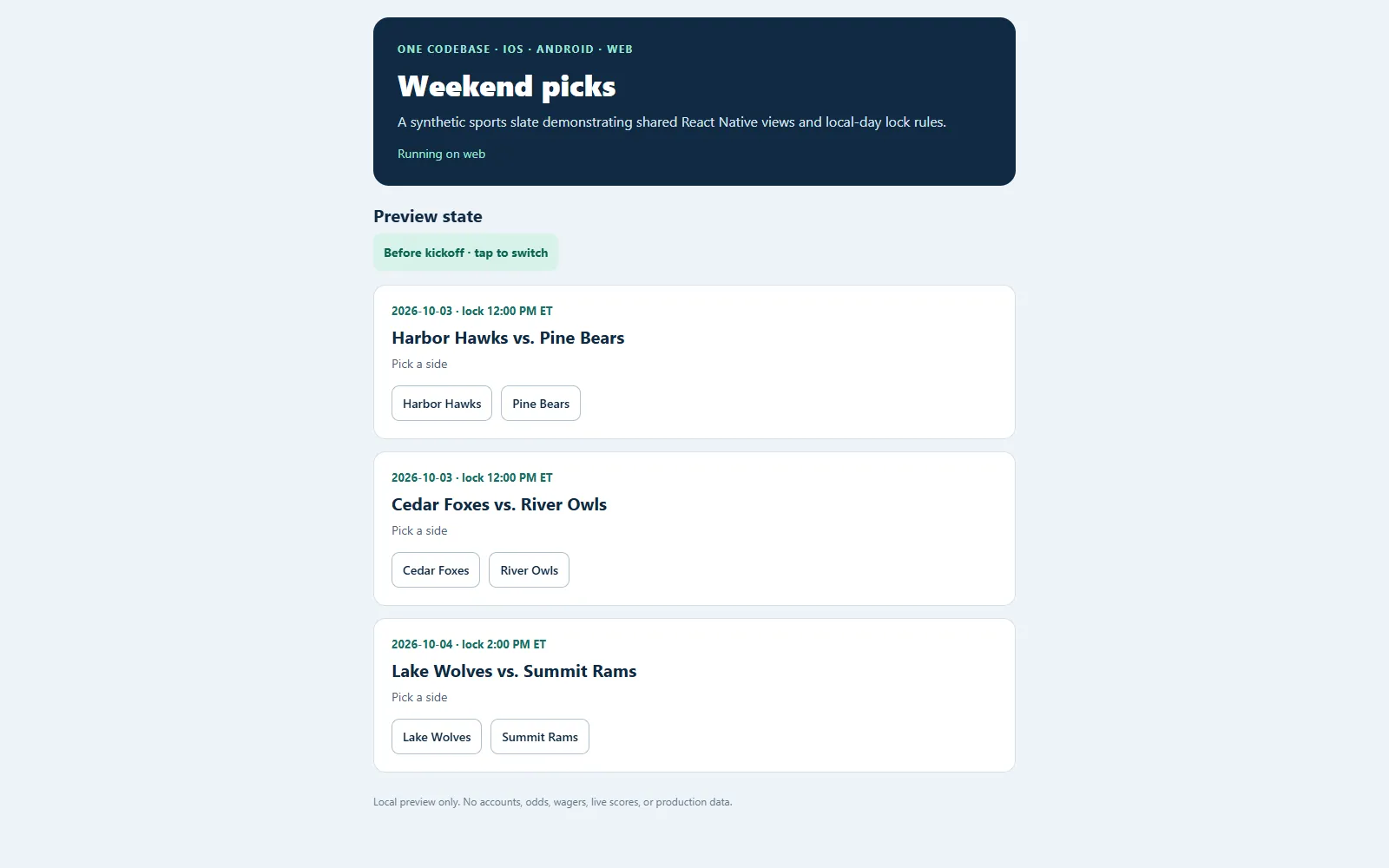
expo-universal-picks · web
Weekend picks web app listing three fictional matchups with team buttons
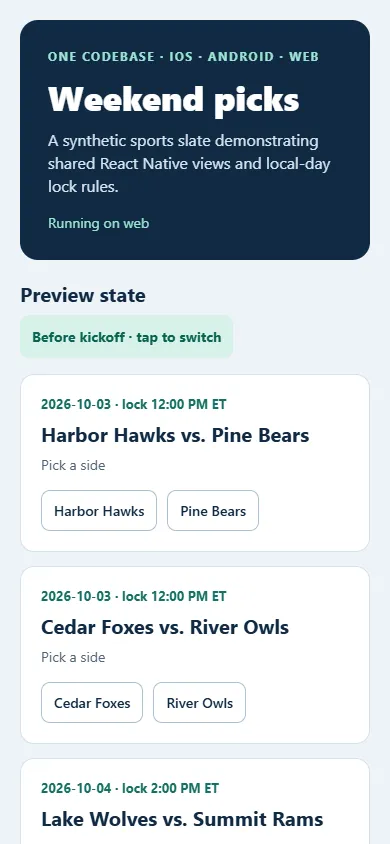
Weekend picks running on a phone

Mobile + Web

Weekend picks: one app, three platforms

Problem
Building the same screens separately for iPhone, Android, and the web triples the work and the bugs.
Approach
Share one interface and one set of rules, like when a pick locks based on local time, across every platform.
What I built
An Expo React Native app that also runs in the browser. There are no accounts, odds, or wagers; it only demonstrates the shared build.
  • React Native
  • Expo
  • TypeScript
● Personal project · live
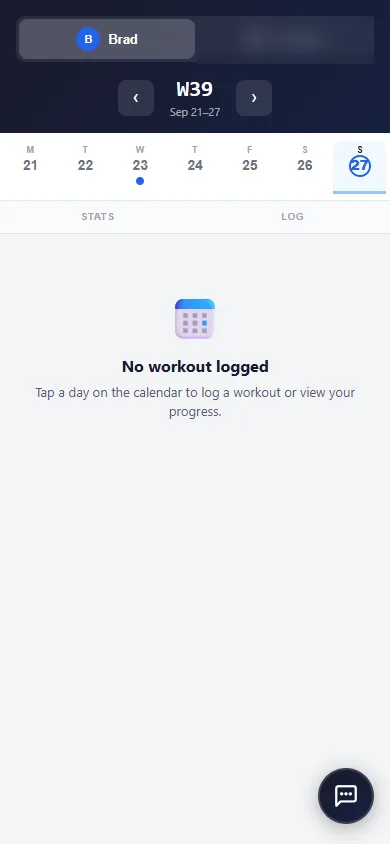
Workout tracker week view on a phone

Web app · AWS

Workout tracker

Problem
A flexible weekly routine didn’t fit fixed-schedule apps, and none of them offered useful recovery guidance.
Approach
A calendar-first log plus a rules engine that reads each workout and recommends recovery, with its reasons.
What I built
A multi-user React app with an illustrated stretch guide and 8-week progress charts, on a serverless AWS backend (Lambda, API Gateway, S3, CloudFront) defined with AWS CDK.
  • React
  • Vite
  • AWS Lambda
  • API Gateway
  • S3
  • CloudFront
  • AWS CDK

See all projects →

Brad · Dacula, GA

About

Hi, I’m Brad. I write it all down.

I’ve been building software for 15 years, including web and desktop apps, mobile apps, cloud systems on AWS, and tools that help teams work faster with AI. Now I’m bringing that experience to small businesses around Dacula, Hamilton Mill, Buford, and the rest of Gwinnett. I do the work myself, so the person you talk to is the person building your project.

  • You own everythingYour domain, content, and accounts stay in your name.
  • No inflated promisesNo guaranteed rankings or revenue. We measure and report honestly.
  • Your data stays yoursNothing goes into an AI tool without your written OK.
  • A human in the loopA person approves anything a customer will see.

More about how I work →

FAQ

Common questions

Do I need to know what I want before we talk?

No. Tell me what’s frustrating, like missed calls or repeated questions. I’ll suggest the smallest project that could help, or tell you if I’m not the right fit.

Will you write the text for my site?

You supply the facts: services, hours, service area, photos. I organize and edit them for the web. Full copywriting is quoted separately.

Is AI safe to use with my customers’ information?

We decide together what data a tool may see, and sensitive information stays out unless there’s a proper plan for it. A person reviews anything customers will see.

Who owns the website when we’re done?

You do. The domain, hosting, and content are in your name, and you get a guide for making simple updates.

How long does a website refresh take?

It depends on how quickly content and feedback come in. The timeline is written into your scope before we start.

Can you guarantee more leads?

No one honestly can. We agree on what to measure, record a starting point, and I report what changed.

Next step

Tell me what’s getting in the way.

Pick whichever is easiest. If there’s a good fit, I’ll send a short written scope. If not, I’ll tell you, and you’ll leave with at least one useful idea.

I reply within one business day.